AI DISPATCH · MISSION AUTONOMY

One instruction.
An entire operation.

Describe the mission. Aeros plans, dispatches, and coordinates the drone fleet you already operate—from the first request to the final report. Your operators stay in control.

Aeros film01:02 · From mission request to report

The fleets you already run.
One dispatch layer.

A vendor-neutral layer connecting mission demand with your existing drone operations.

Existing drone fleets
Aircraft, docks & payloads
Fleet providers
One shared mission workspace
Weather & airspace
Constraints before dispatch
Mission readiness
Battery, availability & permissions
Work orders & GIS
Turn asset lists into missions
Recovery planning
Reassign, delay & return
Operator oversight
Approvals & decision history
Results & reporting
Close the loop on every job

Integration scope is validated with each fleet and provider. Aircraft and flight authority remain with your operating team.

The Boston demo

One request.
The entire mission.

Watch Aeros turn a Back Bay streetlight audit into an approved mission, coordinated flight, reviewed findings, and a work order. This recorded walkthrough uses simulated telemetry and detections.

Aeros · Boston mission demo01:17 · Task, approve, fly, review, report
Fleet aware. Readiness before every assignment.Provider neutral. Your flight stack stays in place.Operator led. Clear authority at every step.
Intent becomes a coordinated operation

Task the mission. Aeros coordinates the details.

“Inspect the waterfront before sunrise.” Define the outcome once. Aeros assembles the assets, aircraft, payloads, operating window, and reserve capacity into a plan your team can review. Approved assignments flow to the providers that already operate your fleet.

AEROS DISPATCH

A sentence becomes a flight plan.

aeros / Mission control
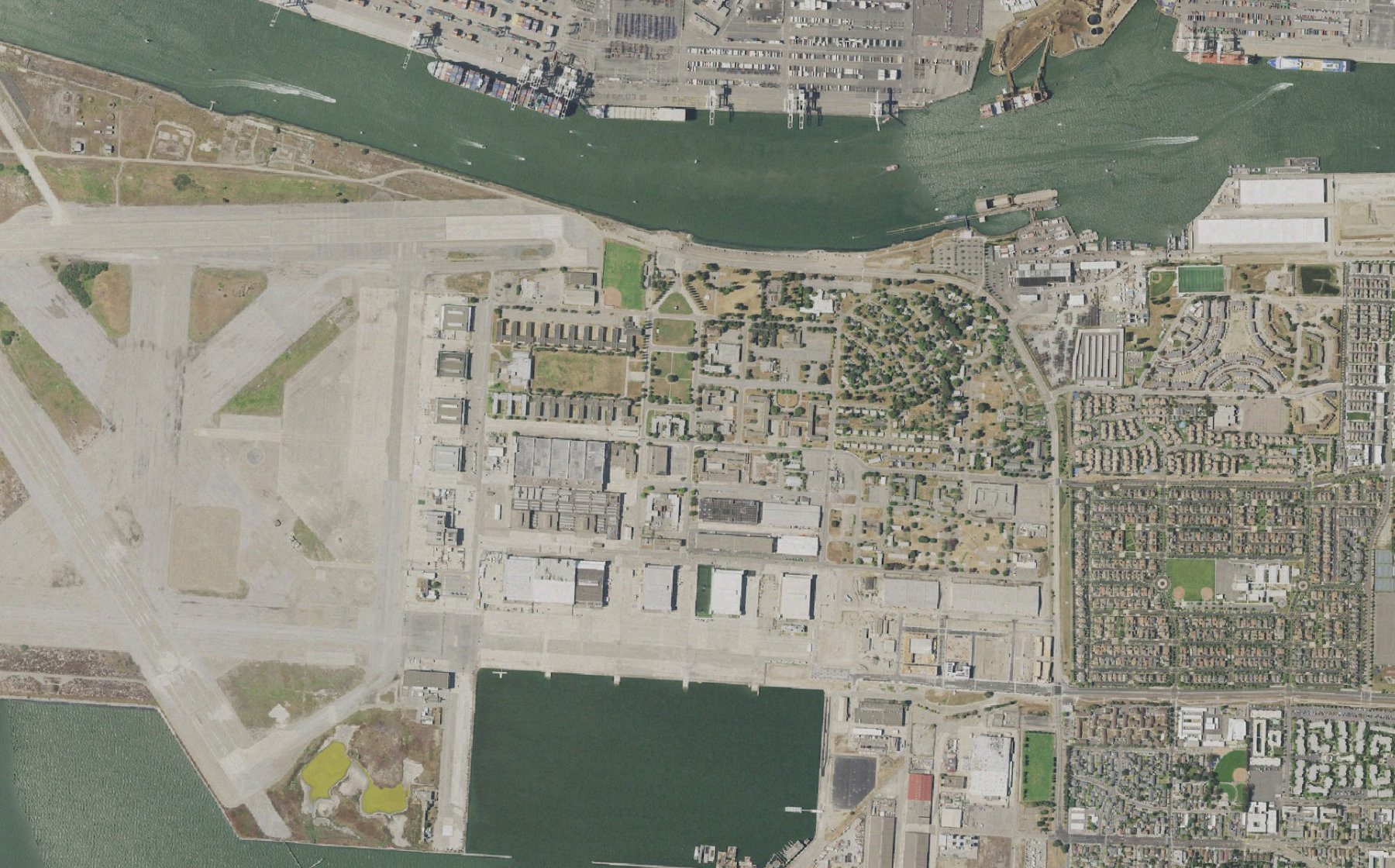
USGS aerial imagery of Alameda Point
ALAMEDA POINT Workspace / North
USGS / NAIP · illustrative mission
A-04 Review96% battery · Thermal + RGB
A-04 Ready A-08 Ready B-16 Reserve
✳Aeros IntelligenceMission brief

Inspect the north district. Prioritize the waterfront and finish before 07:00.

Understand the objective

120 assets located in the connected asset register. The completion window and priority area are attached to the job.

120 assets3 aircraft42 min window
01 / 03
Your drones. Your flight stack. One intelligence layer.
AerosBuilt around the fleet you have
ONE PLATFORM · SIX CONNECTED CAPABILITIES

From tasking to debrief.
One mission workspace.

One place to turn a request into coordinated aircraft, shared scene context, and a completed operation. Aeros works across your existing fleets and providers, with operational authority staying with your team.

01

Aeros Dispatch

Turn the job into a coordinated mission.

Start with a sentence, a location, or a connected job. Aeros interprets the objective, identifies the operating area, and prepares aircraft assignments with the constraints and approvals attached.

  • Break a job into missions and coverage areas
  • Match aircraft, payloads and operating windows
  • Review the plan before authorizing dispatch
Discuss dispatch
02

Aeros Fleet

Know what you can send—and what you should keep.

See aircraft, docks, readiness, and available scene feeds in the context of the operation. Select an aircraft to inspect its assignment and status without losing sight of the rest of the fleet.

  • See availability across connected providers
  • Compare battery, payload and maintenance state
  • Hold reserve capacity for changing priorities
Discuss fleet
03

Aeros Readiness

Check the conditions behind every assignment.

A mission is more than a route. Bring weather, airspace information, site access, aircraft limits and your operating procedures into the planning decision, with unresolved inputs visible to the operator.

  • Check conditions against mission requirements
  • Surface stale, missing or conflicting inputs
  • Keep each conclusion connected to its source
Discuss readiness
04

Aeros Recover

Keep the mission moving when the plan changes.

A return reserve, a weather change, or a new priority should not lose the mission context. Compare a relief aircraft, a revised route, or a delayed assignment before approving the next move.

  • Identify affected missions and dependencies
  • Coordinate relief aircraft and coverage handovers
  • Route the revised plan for operator approval
Discuss recover
05

Aeros Control

Keep operational authority with your team.

Keep the control room and field team aligned around the same scene and mission brief. Assign review ownership, carry observations through handovers, and retain a record of who authorized each change.

  • Separate recommendations from operational actions
  • Carry scene context into field-team handoffs
  • Follow the record of approvals and changes
Discuss control
06

Aeros Report

Finish the job beyond the flight.

Bring coverage, observations and exceptions back into the workflow that requested the mission. Help teams see what was completed, what needs review and what still needs to happen.

  • Track completed, outstanding and flagged assets
  • Attach results to the original job
  • Return outputs to connected reporting workflows
Discuss report

Aeros works through validated connections to your flight software and fleet providers. Available actions depend on the provider interfaces, operating procedures and permissions configured for your deployment.

Mission control meets the field

The same scene. Wherever your team is.

Dispatchers need the whole operation. Field teams need the part that matters now. Keep available scene views, mission status, observations, and the latest decisions together—from the control room to the people responding on the ground.

“Shared intelligence. Human judgment. Clear accountability.”
Aeros operating principle
AerosOperating principle
ONE SHARED OPERATING PICTURE

From mission control.
To the team on scene.

aeros / Team workspace
MISSION / OPS-0142
Waterfront response
Illustrative shared mission mapA-04 · Scene view
Field team 02Review requested
09:41
Mission brief
USGS aerial imagery used in an illustrative aircraft sensor view
A-04 / EOSIMULATED FEED
37.78° N · 122.31° WUSGS / NAIP
OPS-0142 / SCENE CONTEXT

Waterfront response

Pier 3 · waterfront

✳
Your aerial context is ready

A-04 has the pier in view. Aircraft status and the latest operator notes travel with the mission.

A-04 on scene45 m AGL
Illustrative field view · no data is sent
CONTEXT STAYS WITH THE MISSIONDESKTOP ↔ FIELD
Built for operational trust

Use AI without giving up control of the decision

Aeros separates live data, operator rules, and AI-generated synthesis so teams can see exactly what informed a recommendation. Source visibility, human review, role-based access, and decision history keep the system auditable.

01Evidence and traceability
  • Source-linked recommendations
  • Separate facts, rules, and AI synthesis
  • Surface missing inputs and uncertainty
  • Mission-level decision history
02Human control
  • Review before operational action
  • Role-based approvals and access
  • Clear ownership of decisions
  • Configurable operator procedures
03Operator deployment
  • Connect existing operational systems
  • Configure mission and recovery policies
  • Configure operator-specific constraints
  • Expand integrations as workflows mature
How teams use Aeros

One mission context, every operations team

See how dispatch, drone operations, maintenance, scheduling, and safety can work from the same operational picture.

AEROS DISPATCH

A sentence becomes a flight plan.

aeros / Mission control
USGS aerial imagery of Alameda Point
ALAMEDA POINT Workspace / North
USGS / NAIP · illustrative mission
A-04 Review96% battery · Thermal + RGB
A-04 Ready A-08 Ready B-16 Reserve
✳Aeros DispatchMission brief

Inspect the north district. Prioritize the waterfront and finish before 07:00.

Understand the objective

120 assets located in the connected asset register. The completion window and priority area are attached to the job.

120 assets3 aircraft42 min window
01 / 03

Mission Dispatch

  • Define the objective
    Describe the job, assets, deadline, and expected outputs in plain language.
  • Review readiness
    Check payload, battery, dock state, site access, weather, and airspace inputs.
  • Assign the fleet
    Match available aircraft and providers to the mission requirements.
  • Approve dispatch
    Review the plan and unresolved constraints before authorizing execution.
UNDERSTAND THE PLATFORM

From the first request
to the last result.

A few practical answers about how Aeros fits into your operation.

Talk through your workflow
What does Aeros actually do?

Aeros coordinates the operational work around your drone fleet: it interprets the job, creates a mission plan, checks readiness, assigns available capacity, monitors execution and proposes responses when conditions change. Results return to the original job so the operating team can close the loop.

Who is it built for?

Public safety and response teams, search coordinators, infrastructure operators, and drone service providers with existing fleets. Start with a defined mission, connected flight systems, and the operating procedures your team already follows.

Do we need to replace our drones or flight software?

The integration approach is designed around your existing aircraft, docks and provider software. Each connection is validated for the status it exposes and the actions it permits. During onboarding, we agree on the supported workflow and integration scope with your operating team.

What happens after someone types a request?

Aeros identifies the objective, area, assets, timing and expected outputs, then checks those against the connected fleet and operational constraints. The result is a structured plan with proposed assignments. An authorized operator reviews the plan before operational action.

How does operator oversight work?

Your operating rules determine who can review and authorize an action. Recommendations, unresolved assumptions and the inputs used to create them stay visible. Changes to the plan follow the configured review process, and the mission retains the decision history.

How do weather, airspace and live data fit in?

Connected sources supply context for readiness and change detection. Aeros relates those inputs to the mission and surfaces missing or stale information. The operator remains responsible for the applicable permissions, authorizations and go/no-go decision.

What does implementation involve?

Start with one site or repeatable mission. Connect the relevant fleet and job systems, define assets and operating rules, validate the plan and approval flow, then evaluate the workflow with your team before expanding to additional sites or providers.

Is the website demonstration connected to real drones?

These are product demonstrations, not live drone connections. The Boston recording uses simulated telemetry and detections; interactive scenes elsewhere use illustrative routes, aircraft, and AI responses. Website controls do not send commands to a live fleet.

AI dispatch for your existing drone fleet

Your next mission starts with a sentence.
Give your fleet  direction today.

You already have the drones. Connect your fleets and providers, describe the job, and give operators one place to coordinate every mission from request to result.

Start with one repeatable workflow. Define your operating rules, validate the integrations, and scale dispatch with oversight built into every step.